

Sider Integration Guide
Sider is a powerful browser AI assistant extension that provides convenient AI services in a sidebar. It supports multiple AI capabilities, including writing, reading, chatting about any topic, and even generating content summaries. By configuring ZenMux, you can access a broader selection of models beyond the base models provided by Sider.
Configuration Steps
1. Get a ZenMux API Key
Go to the ZenMux Console to create and retrieve your API Key.
2. Install the Sider Extension
- Search for "Sider" in your browser’s extension store
- Install and enable the extension
- Open the extension’s Options page
3. Configure the OpenAI Service
Configuration Notes
You only need to configure OpenAI to unlock all ZenMux models.
In Sider settings:
- Select Custom Key: General -> AI Access -> Service Provider -> [Sider -> Custom API Key]
- Select Service Provider: choose
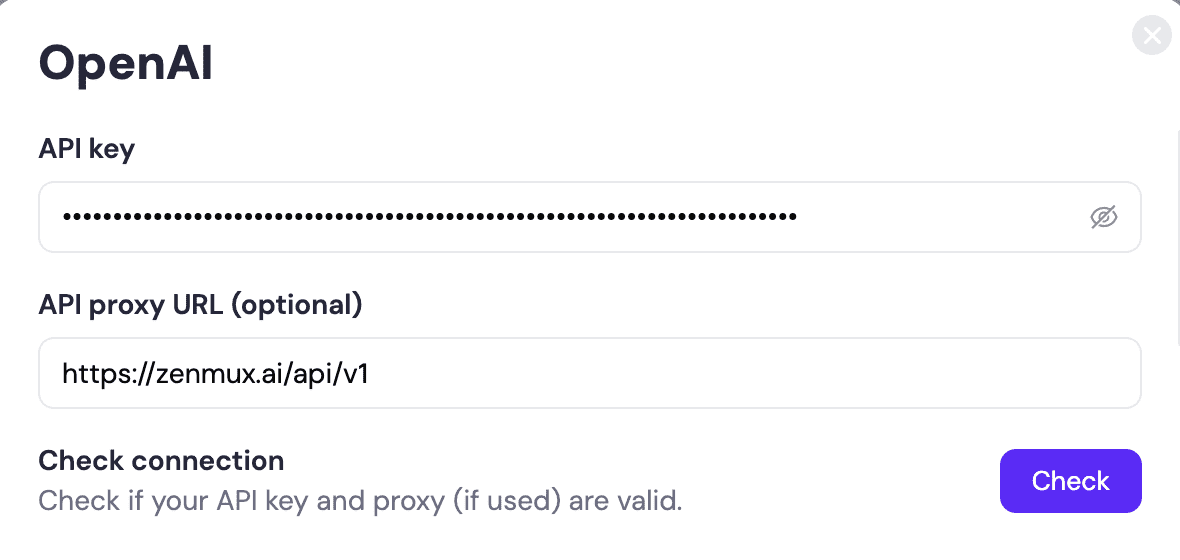
OpenAI, then click Settings - Set Key: enter your API Key
Important
Please ensure you select ZenMux as your API provider, rather than other providers.
- Set API Base URL:
/api/v1 - Check Connection: click “Check” After a few seconds, when “Connection successful” appears, the configuration is complete.
- Usage: In Sider’s model list, select the model you need.
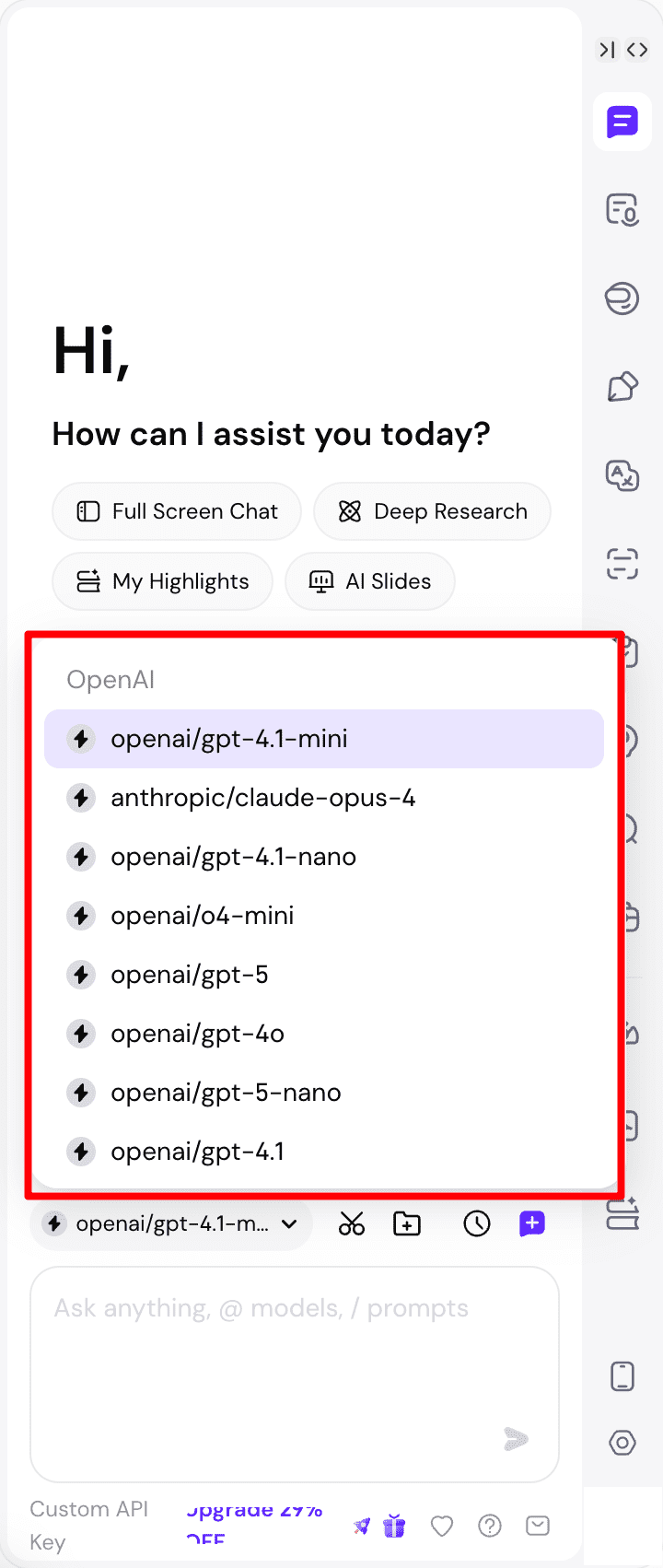
4. Supported Models
ZenMux provides a wide range of models for Sider. Check the ZenMux Model List to see all available models.
Troubleshooting
Common Issues
API Key Error
Problem: Connection failed. Please check your API key and proxy settings.
Solution:
- Check whether the ZenMux API Key in your environment variables is correct
- Ensure the API Key is activated and has sufficient balance
- Verify the API Key format starts with
sk-ai-v1-
Proxy URL Misconfiguration
Problem: Connection failed. Please check your API key and proxy settings.
Recommendation: We recommend selecting OpenAI. Once configured successfully, you can access all models provided by ZenMux without configuring other models separately in Sider.
Solution:
- Confirm that
OpenAIis selected as the service provider - Verify the URL is:
/api/v1
Other model connections:
We also support connecting to our model service in Sider by configuring certain other model providers. The result is identical to connecting via OpenAI. You need to modify the following settings:
| Model | API Proxy URL |
|---|---|
| DeepSeek | /api/v1 |
| Groq | /api/v1 |
| Google (Gemini) | /api/v1 |
| Anthropic (Claude) | /api/anthropic |
Model List Missing or Incomplete
Problem: The complete ZenMux model list is not visible in Sider.
Solution:
- Re-save the API configuration in Sider settings
- Click “Update list” on the right side of the model list to refresh
- Try clicking the “+” button on the right to add models supported by ZenMux
- Check the ZenMux Console to confirm the API Key’s permissions are valid
- Contact ZenMux to confirm service status
Models
View all available models via the ZenMux Model List
:::